

Key takeaways
- Set the source device first: reduce the tablet, phone, or computer volume before connecting the headphones, then raise it only to the lowest comfortable level.
- Choose a quieter listening mode: use the lower mode for audiobooks and quiet rooms; reserve higher modes only when necessary and still keep listening sessions limited.
- Test the microphone: record a short voice memo. Check that the child’s voice is clear from a normal seated distance and that the microphone does not rub against clothing.
- Clean contact surfaces: wipe earcups and the headband with a lightly damp, non-abrasive cloth. Do not soak cushions or spray liquid into openings.
- Protect the weak points: store folding models in a case, unplug by gripping the connector rather than pulling the cable, and avoid wrapping the cable tightly around the headset.
- Inspect monthly: check for cracked hinges, flattened cushions, exposed wires, loose plugs, and a battery that no longer holds a useful charge.
Best Headphones for Kids: Safe, Comfortable Picks
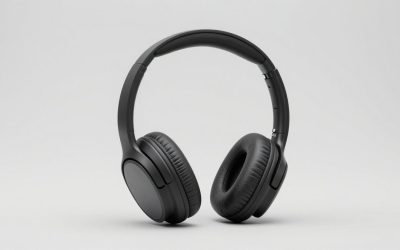
The best headphones for kids are lightweight, volume-limited models with a genuinely child-sized fit, a replaceable or well-protected cable option, and controls parents can understand without opening an app.
For most families, BuddyPhones Play+ is the most flexible choice because it offers several listening-volume modes, wireless and wired use, a built-in microphone, and a long battery life. Choose Puro Sound Labs BT2200 for a sturdier, more traditional wireless headset, or JBL JR 320BT when long battery life and simple Bluetooth pairing matter most. For occasional travel or a low-cost backup, a basic wired volume-limited headset can be the better purchase.
Our top picks


As an Amazon Associate we earn from qualifying purchases at no extra cost to you.
Quick comparison
| Model or type | Volume approach | Battery life | Connection | Microphone and controls | Best for |
|---|---|---|---|---|---|
| BuddyPhones Play+ | Selectable modes up to 94 dB; lower modes around 75 and 85 dB | Up to 20 hours | Bluetooth and 3.5 mm wired | Built-in microphone, buttons, parent-set listening modes | Growing children and shared family devices |
| Puro Sound Labs BT2200 | Designed around an 85 dB volume limit | Up to 20 hours | Bluetooth and wired operation | Built-in microphone and on-ear controls | Durability and straightforward everyday use |
| JBL JR 320BT | Child-oriented volume limiting, typically below 85 dB | Up to 50 hours | Bluetooth | Built-in microphone, physical controls, JBL Headphones app support | Frequent wireless use and fewer charging sessions |
| Basic wired volume-limited headset | Usually fixed around 85 dB; verify the specification | Not applicable | 3.5 mm cable | May have an inline microphone; controls vary | Tablets, school devices, travel backups, and tight budgets |
Battery figures are manufacturer claims under ideal conditions. Bluetooth codec, volume, microphone use, and age of the battery can reduce real-world runtime. General market prices usually range from about $20 to $100, depending on brand, materials, accessories, and wireless features.
Our picks by situation
Best all-rounder: BuddyPhones Play+
BuddyPhones Play+ suits families that want more control than a single fixed volume cap provides. Its listening modes allow parents to choose a quieter setting for audiobooks, a standard child setting for music, or a louder mode for noisy environments. The important detail is that the loudest mode should not be treated as the everyday default.
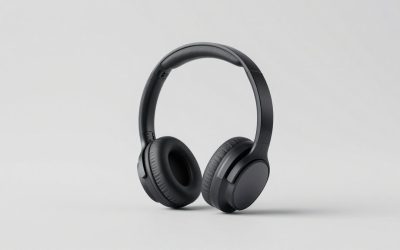
The headphones support both Bluetooth and a 3.5 mm wired connection. That makes them useful on flights, with older laptops, and with devices that do not permit Bluetooth pairing. The foldable design, padded earcups, and integrated microphone are practical for schoolwork and video calls. A typical weakness of foldable children’s headphones is the hinge: store them in a case rather than dropping them into a backpack under heavy books.
Best sturdy wireless design: Puro Sound Labs BT2200
The Puro BT2200 is a good fit for children who want a more grown-up-looking headset without moving to unrestricted adult headphones. Its metal-reinforced construction and padded on-ear design can feel more substantial than very light plastic models. The built-in volume-limiting design targets approximately 85 dB, while Bluetooth and wired modes cover most common devices.
On-ear headphones can become uncomfortable sooner than over-ear designs, especially for children who wear glasses or use them for several hours. Check that the ear cushions sit over the ears rather than pressing directly on the ear. The BT2200 is best for regular but supervised use, not as permission to listen continuously at the maximum setting.
Best for long battery life: JBL JR 320BT
The JBL JR 320BT stands out when charging is frequently forgotten. Its claimed battery life of up to 50 hours is unusually long for a children’s wireless headset, and physical controls reduce dependence on a phone or tablet. The built-in microphone supports calls and school meetings, while the JBL Headphones app can provide additional parental configuration depending on the device and software version.
App-based controls are useful, but they should not be the only safety measure. Confirm the headset’s volume behavior on the child’s actual tablet, computer, or phone. Some operating systems remember a high volume from a previous Bluetooth device, and a parent-controlled app may not override every source device.
Best low-cost backup: a wired volume-limited headset
A wired headset has no battery to age, no Bluetooth pairing to troubleshoot, and no charging interruption during a trip. It is often the most sensible second pair for a backpack or classroom. Look for a fixed volume limit, a flexible cable, strain relief at both ends, a padded headband, and an inline microphone if calls are required.
Do not assume every “kids” headset is volume limited. Some are merely smaller versions of ordinary headphones. A detachable cable is convenient, but it also introduces another part that can be lost. For younger children, a permanently attached cable may be less complicated; for older children, a replaceable cable can extend the headset’s useful life.
What matters more than the product name
Volume limiting is useful, but not absolute protection
A volume limit reduces the chance of accidentally selecting an excessive level, but it does not make unlimited listening harmless. The perceived loudness also depends on the recording, the device output, background noise, and how well the earcups seal.
Use the lowest comfortable setting, take regular listening breaks, and avoid raising the volume to overcome traffic, aircraft engines, or a noisy classroom. If a child reports ringing, muffled hearing, pain, or unusual sensitivity to sound, stop using the headphones and consult a qualified health professional.
Fit determines comfort and effective volume
Measure the child’s head from just above one ear, across the crown, to the same point above the other ear. Compare that measurement with the manufacturer’s adjustable range. As a practical check, the headband should not need to be fully extended, the ear cushions should not press hard, and the child should be able to wear the headset for 15 minutes without repeatedly repositioning it.
A poor seal can make music sound thin, encouraging a child to increase the volume. Conversely, very tight clamping can cause headaches and make the child remove the headset. Swiveling earcups, a flexible headband, and replaceable cushions are valuable ownership features, not just comfort extras.
Wireless safety and parental controls
Bluetooth is convenient, but pairing should be done by an adult initially. Rename the headset if the device allows it, disable automatic connection to unfamiliar devices, and remove the headset from shared tablets when it is no longer needed. For younger children, physical volume buttons are easier to understand than touch controls.
When an app offers a volume ceiling, enable it on every parent-managed device rather than assuming the setting follows the headphones everywhere. Wired use can bypass wireless app settings, so check the source device’s own volume limit too.
A simple cost-per-use calculation
Suppose a $60 wireless headset is used four times per week for two years. That is approximately 416 uses:
$60 ÷ 416 uses = about $0.14 per use.
A $25 wired pair used twice weekly for one year gives about 104 uses, or approximately $0.24 per use. The cheaper purchase is not automatically the lower-cost option if its cable fails after a few months. Conversely, an expensive model is poor value if the child dislikes its fit. Frequency of use, hinge durability, and replacement parts matter as much as the initial price.
How to set up and maintain children’s headphones
- Set the source device first: reduce the tablet, phone, or computer volume before connecting the headphones, then raise it only to the lowest comfortable level.
- Choose a quieter listening mode: use the lower mode for audiobooks and quiet rooms; reserve higher modes only when necessary and still keep listening sessions limited.
- Test the microphone: record a short voice memo. Check that the child’s voice is clear from a normal seated distance and that the microphone does not rub against clothing.
- Clean contact surfaces: wipe earcups and the headband with a lightly damp, non-abrasive cloth. Do not soak cushions or spray liquid into openings.
- Protect the weak points: store folding models in a case, unplug by gripping the connector rather than pulling the cable, and avoid wrapping the cable tightly around the headset.
- Inspect monthly: check for cracked hinges, flattened cushions, exposed wires, loose plugs, and a battery that no longer holds a useful charge.
Final recommendation
Choose BuddyPhones Play+ when adjustable volume modes, wired flexibility, and child-focused features are the priority. Choose Puro Sound Labs BT2200 for a sturdier conventional wireless headset with an approximately 85 dB design. Choose JBL JR 320BT if long battery life and simple wireless controls matter most. Keep a basic wired, volume-limited headset as a low-maintenance backup, and judge every option by fit, volume behavior, microphone clarity, and how well the child can use it safely without constant troubleshooting.
Write Your Review
No reviews yet. Be the first to share your experience!